SkyView® Lite
Terminal Eleven LLCEducation
4.35.19K Reviews
- Version
- 3.9.2
- Installs
- 10.00M
- Age Rating
- Everyone
Screenshots
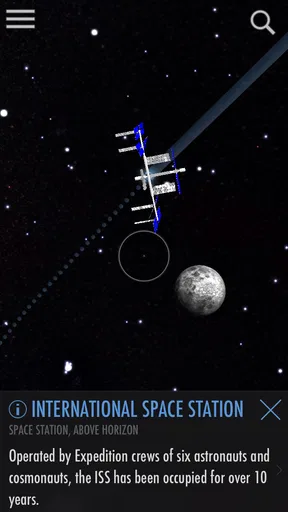
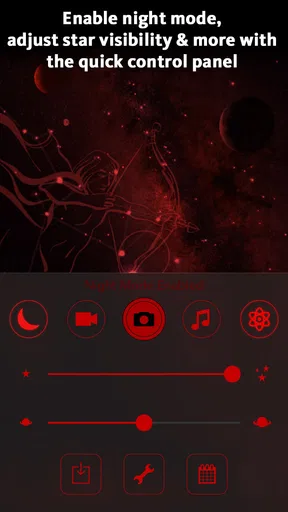
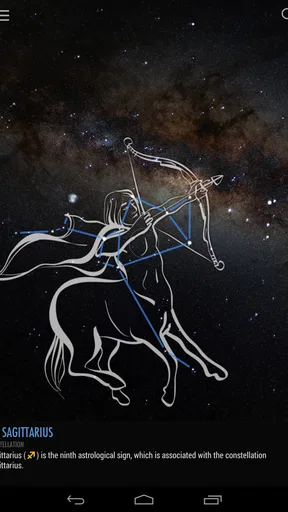
Our Review of SkyView® Lite
 Analysis by Appyee
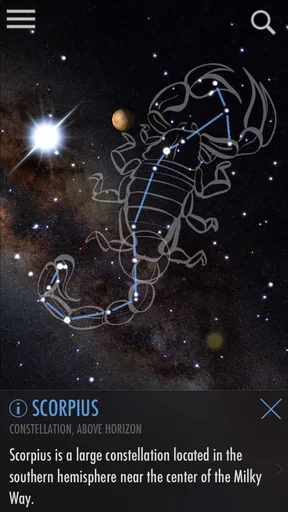
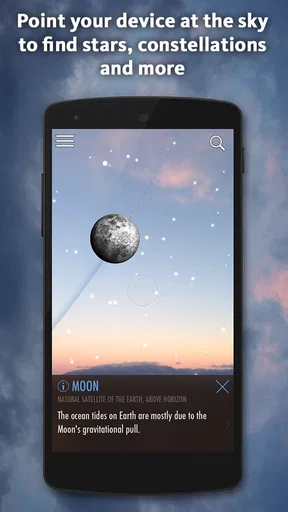
Looking up at the night sky is usually more rewarding when I know what I am seeing, and SkyView® Lite makes that first step unusually approachable. Instead of asking me to recognize constellations from a static chart, it turns the phone into a guided window toward the sky. I point the device upward, move it across the horizon, and use the labels on screen to connect bright points with names and celestial objects.
That simplicity is the main reason I would recommend it to a friend who wants to begin stargazing without studying an astronomy guide first. It is a free education app from Terminal Eleven LLC, rated for Everyone, and its focus is clearly on discovery rather than deep scientific analysis. The current version is 3.9.2, and the app has reached over 10 million installs, which makes it one of the more familiar starting points for casual sky watching.
My overall impression is positive, but with an important qualification: this is best understood as an augmented-reality sky guide, not a complete replacement for an astronomy reference or a telescope-control tool. It is excellent for answering “What is that bright object?” while standing outside. It is less suitable when I want detailed observing plans, advanced equipment support, or a full lesson in astrophysics.
How SkyView Lite feels in everyday use
I find the everyday appeal of SkyView Lite is how easily a passing question can turn into a shared moment: someone spots a bright point, and the phone helps give it a name. For households, it works best when the screen is a guide rather than the whole activity, with everyone taking turns looking up and comparing what they see. That makes it worth thinking about how the app fits each person’s device and routine.
A friendly first step into stargazing
The strongest part of the experience is the immediate visual connection between the screen and the sky. Rather than scrolling through a long catalogue and guessing which direction to face, I can use the phone as a movable guide. The overlay gives context to what might otherwise look like an unrelated scattering of lights.
This is particularly useful in a city, where bright artificial lighting can make the sky feel empty. Even when only a few stars are visible, the app can give me a reason to look more carefully. I have found that this changes the activity from passive viewing into a small investigation: I notice a bright point, check its label, move the phone slightly, and then compare the digital guide with the real sky.
That approach also works well with children. A child does not need to begin by learning a diagram of every constellation. They can start with a simple question, point the phone, and then ask why the object is visible, why another one is not, or how far away it might be. The app does not replace an adult’s explanation, but it gives the conversation a useful visual starting point.
A realistic evening scenario
Imagine taking the phone outside after dinner because a bright object has caught your attention. With a normal star chart, I might need to identify the season, estimate the direction, and match several patterns before feeling confident. With this app, I can begin by pointing toward the object and watching the labels move as I adjust the phone.
The practical trick is to avoid treating the first label as unquestionable. I prefer to pause, move the phone slowly, and check whether nearby labels line up consistently with the visible pattern. If the overlay seems to drift, I recalibrate the device and try again from a different position. That small habit makes the session less frustrating and helps me learn the sky instead of merely accepting whatever appears on the display.
For a family, this can become a short outdoor activity rather than a formal observing session. One person can hold the phone, another can look up without the screen, and a third can ask questions. The app is most valuable when it leads people back to the real sky, not when everyone spends the entire time staring at a display.
Why the augmented-reality approach works
Traditional star charts are still useful, especially for learning shapes and building memory. Their weakness for beginners is that the page does not automatically match the direction I am facing. SkyView Lite reduces that initial mental translation. It gives me a live visual reference, which is easier to understand when I have no experience with celestial navigation.
The trade-off is that a live overlay can feel more authoritative than it really is. A chart encourages me to interpret patterns; an augmented-reality view can tempt me to trust the phone without checking the sky. I get the best results when I use the app for identification and then switch my attention to the actual stars.
This makes it different from a telescope companion app, a detailed planetarium program, or a dedicated astronomy course. Those alternatives may offer more depth or specialized controls. SkyView Lite earns its place through speed and accessibility: it gets me from curiosity to orientation with very little preparation.
What the current version means for users
The app’s current version, 3.9.2, is the version I would evaluate when deciding whether to install it today. The important point is not simply the version number, but what it suggests for existing users: people who already rely on the app should keep their expectations focused on the current viewing experience rather than assuming that every future update will transform it into an advanced observatory tool.
For someone installing it for the first time, the mature release history is reassuring in a practical sense. The app has been available since October 19, 2014, so it is not a brand-new experiment built around a temporary trend. At the same time, age alone does not guarantee that every device will display the sky perfectly. The quality of the experience still depends on how accurately the phone’s sensors behave and how carefully I hold and calibrate it.
Existing users should also remember that familiarity can hide small setup problems. If labels seem offset after changing location, rotating the phone repeatedly, or moving from indoors to outdoors, I would not immediately assume the celestial information is wrong. I would first give the device time to settle, recalibrate, and compare the overlay with a recognizable object or constellation.
Small techniques that make a noticeable difference
My first useful tip is to let the phone adapt before beginning a serious search. I avoid rushing from a bright indoor room directly into an identification challenge. After stepping outside, I give myself a moment to orient physically, then use the app. This reduces the temptation to swing the phone quickly across the sky and mistake movement for useful information.
My second tip is to use the app in two passes. In the first pass, I use the overlay to find a promising object. In the second, I lower the phone and try to locate the same object with my eyes. That exercise turns the app from a permanent dependency into a learning aid. After a few sessions, familiar patterns become easier to recognize without assistance.
My third tip is especially helpful for groups: let the person holding the phone describe the direction rather than silently showing the screen. Saying “look slightly above the roofline and to the left” makes the activity collaborative. It also exposes whether the app is genuinely helping everyone understand the sky or merely giving one person a private screen view.
A fourth practical insight is to avoid using the app as a substitute for dark adaptation. If I keep checking a bright phone display every few seconds, my eyes remain less sensitive to faint stars. I prefer to identify a target, dim my attention to the screen, and spend more time looking upward. The app is most effective when used briefly between longer periods of direct observation.
Where the experience can become frustrating
Augmented reality is only as convincing as the alignment between the phone and the sky. When the overlay drifts, the experience loses its magic quickly. This is not necessarily a problem with the celestial information itself; it can be a sensor, orientation, movement, or calibration issue. Still, from a user’s perspective, the distinction matters less than the result: a label that does not sit near the object I am trying to identify is confusing.
Urban environments create another limitation. The app can identify objects that are hidden by buildings, haze, trees, or light pollution, but seeing a label does not mean I will be able to see the object with my eyes. Beginners may interpret the screen as a promise that a visible star is just behind the display. I think the app should be treated as a map of what is in that direction, not a guarantee of visibility from my exact location.
Phone handling also affects the experience. Holding a device overhead for a long time is tiring, and constantly moving it can make the view feel busy. I get better results by standing still, choosing a small section of sky, and moving slowly. That is a modest change, but it makes the app feel more like an observing tool and less like a camera being waved around.
Who will enjoy it most
I would choose this app for a curious beginner, a parent introducing astronomy to a child, a traveler who wants a quick way to explore unfamiliar skies, or anyone who regularly notices bright objects but does not know their names. It also suits casual educators who need a visual prompt for a short outdoor lesson.
It is a particularly good fit for people who have tried paper charts and found the orientation confusing. The live view lowers the entry barrier without requiring a large vocabulary of astronomical terms. The Everyone age rating also reflects how broadly approachable the concept is, although younger children will still benefit from adult guidance when interpreting what they see.
The app is less appropriate for an experienced observer who already knows the main constellations and wants detailed planning. I would also look elsewhere if my goal were to control a telescope, organize a serious imaging session, study technical object data, or follow a structured astronomy curriculum. A specialist tool may be slower to learn, but it will usually offer more depth for those specific needs.
Free access and the decision to install
SkyView Lite is free, which makes the decision easy for a first-time user. I can install it without treating the experiment as a financial commitment, test it during one clear evening, and decide whether its style suits me. That matters in this category because the value depends heavily on personal habits: some people enjoy the visual overlay, while others prefer learning from books, maps, or unassisted observation.
The app’s popularity is reflected in an average rating of 4.3 from around 58 thousand ratings, along with roughly 5.2 thousand written reviews. I would read those figures as evidence of broad usefulness rather than proof that every experience will be perfect. Sensor alignment, local sky conditions, device behavior, and personal expectations can all change how satisfying an augmented-reality guide feels.
For existing users, the free model also makes it reasonable to keep the app available for occasional use even if it is not my main astronomy resource. I might open it when traveling, when a friend asks about a bright object, or when I want to give a child a quick introduction. Its value is strongest in those spontaneous moments.
What I would watch as the product evolves
When I think about future improvements, I would pay attention to refinement rather than expecting a completely different product. Better alignment, clearer calibration guidance, and a calmer viewing experience would directly improve the moments that matter most. Those changes would help beginners without making the interface feel like a professional instrument.
I would also watch how the app balances discovery with learning. The best evolution would encourage users to remember what they find, understand why an object appears in a particular part of the sky, and gradually rely less on the overlay. If new capabilities ever make the screen more crowded without improving comprehension, that would be a step in the wrong direction for this particular audience.
My final recommendation is straightforward: install it if you want a friendly way to begin exploring the night sky, especially during casual outdoor moments. Use it to identify, then look away from the phone and verify what you can see for yourself. The real strength is not replacing stargazing; it is making the first few minutes of stargazing feel understandable.
That focus gives SkyView Lite a clear role among education apps. It does not need to be the most detailed astronomy reference to be useful. For me, it succeeds when a nameless point of light becomes a reason to stop, look up, and ask a better question. If that is the kind of experience you want, this free app is an easy recommendation. If you already need advanced observation planning or equipment integration, I would choose a more specialized alternative instead.
Verdict
Strengths of SkyView® Lite
- Identifies stars, planets, and constellations with a simple point-and-view interface.
- Works without an internet connection after the app is installed.
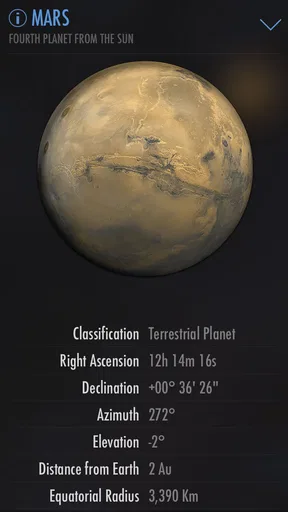
- Includes useful information and artwork for many visible celestial objects.
- Time-travel controls let you explore the sky at different dates and times.
- Augmented-reality view makes casual stargazing approachable for beginners.
Limitations of SkyView® Lite
- Some advanced objects and features are locked behind the paid version.
- Accuracy can suffer if the phone compass needs calibration.
- Bright city lights make the app’s viewing guidance less useful outdoors.
- The free version includes advertising that can interrupt the experience.
- Older phones may show slower performance or less responsive motion tracking.
Other Releases by Terminal Eleven LLC
View All
SkyView® Explore the Universe
Education4.5
Similar Picks in This Category
View All
Duolingo: Language Lessons
Duolingo4.7

Google Classroom
Google LLC2.8

Unacademy: Learn & Crack Exams
Unacademy3.2

Bible App for Kids
Life.Church4.4

Cake - Learn English & Korean
Cake Corp.4.7

Brainly: AI Homework Helper
Brainly4.5
Frequently Asked Questions
What is SkyView® Lite, and what can I use it for?
SkyView® Lite is an astronomy app that helps you identify stars, planets, constellations, and other celestial objects by pointing your phone toward the sky. After opening the app, you can move your device around and use the on-screen labels to explore what is above you. It is designed for casual stargazing, learning, and quickly recognizing objects without needing a telescope.
Does SkyView® Lite require an internet connection to work?
SkyView® Lite can be useful without a constant internet connection because its basic sky-identification features rely mainly on your device’s sensors and stored app data. However, some information, updates, or external content may require connectivity depending on the version and device. It is best to open the app once while online, allow any necessary data to load, and then test it before heading somewhere with limited coverage.
How accurate is SkyView® Lite when identifying objects in the sky?
The app can provide helpful identifications, but its accuracy depends on your phone’s compass, gyroscope, location settings, and calibration. Nearby metal objects, buildings, magnetic interference, or an incorrectly calibrated device can make labels appear offset. For the best results, enable location services, calibrate the phone when prompted, hold it steadily, and remember that the app is an educational guide rather than a professional astronomical instrument.
Can I use SkyView® Lite during the day or in areas with light pollution?
Yes. SkyView® Lite can display the positions and names of many celestial objects even when they are not currently visible, including during daylight or under cloudy skies. Nevertheless, actual observation depends on weather, time, location, and light pollution. In a bright city, only a few stars or planets may be visible with the naked eye, while darker outdoor locations generally provide a much better experience.
Is SkyView® Lite free, and are there any limitations compared with paid versions?
SkyView® Lite is offered as a free version, making it a convenient way to try the core stargazing experience before paying for additional features. Depending on the current release, it may include advertising, a smaller selection of content, or fewer customization and exploration options than premium editions. Review the app-store listing and in-app purchase details before downloading, since available features and pricing can change over time.
